Deck Builder has always been able to turn a deck into other things: printable PDFs, editable image files, JSON data, and the .dbpd backup you can re-import anywhere. The catch was that each format lived in its own menu, and it was easy to export the wrong thing on the way to the right one. Version 3.10.0 puts them all behind one Export… entry in the deck menu.
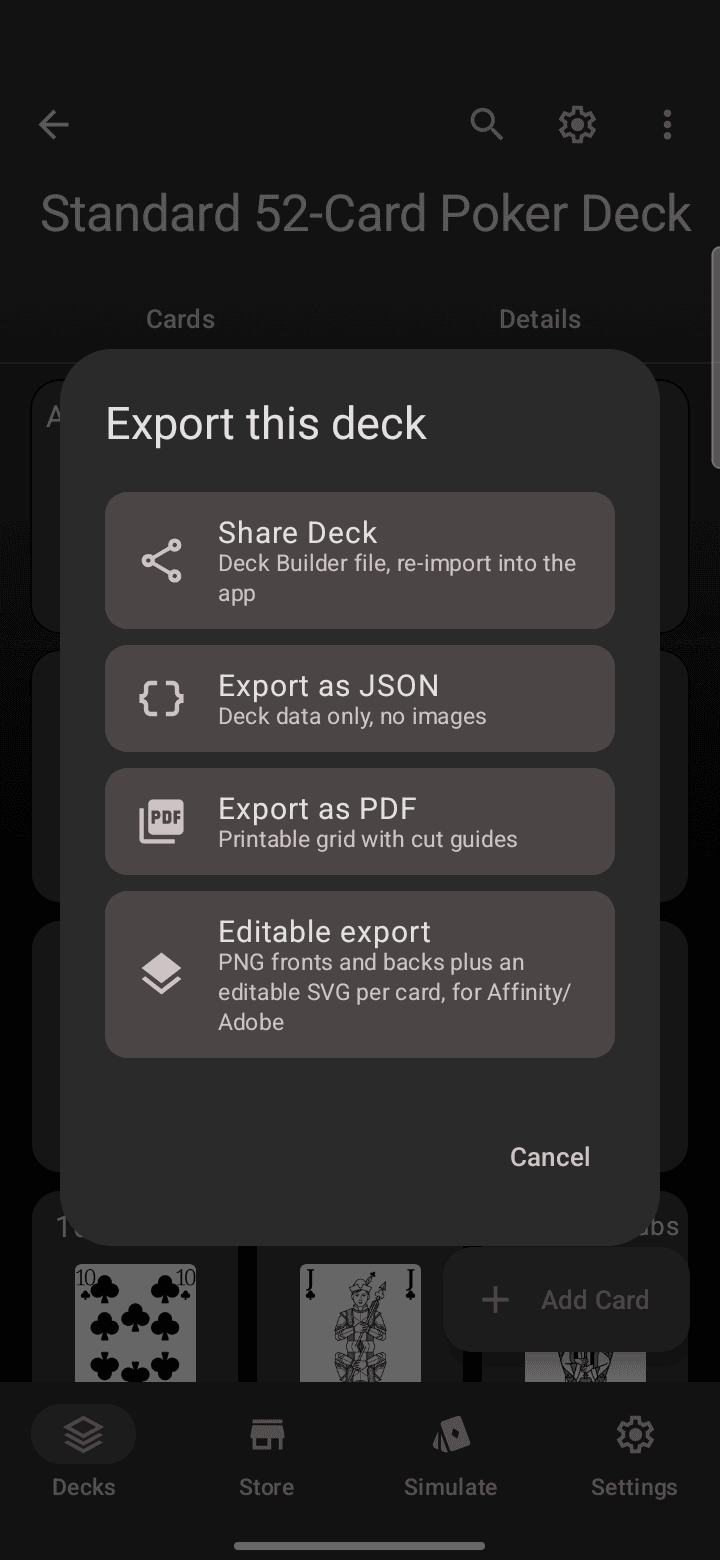
Opening the chooser
Open a deck, tap the three-dot menu in the top right, and pick Export…. The chooser lists every format with a one-line description of what it produces, so the decision happens with all options in view:
The four formats
As Deck Builder file produces a .dbpd file: the complete deck, cards, tags, settings and images, ready to import into any other Deck Builder installation or to publish to the Deck Store. Use it for backups and for moving decks between devices. This is the only format that round-trips losslessly.
Export as PDF lays the deck out as a print sheet: a grid of card fronts (and backs, when the deck has them) with cut guides, bleed and duplex support. Use it for print-and-play copies of your decks. The layout options cover grid, gutter-fold and duplex arrangements.
Editable export gives you each card as a PNG front and back plus an editable SVG per card. Use it when you want to keep editing the art in Affinity, Adobe or Inkscape after leaving the app.
Export as JSON writes the deck’s data as a plain JSON file, no images. Use it for tools, scripts and spreadsheets that consume deck data.
What about sharing?
Sharing a deck with another player is still the deck menu’s Share flow (which produces the same .dbpd), and sharing selected cards as card files lives in the multi-select toolbar. Export is for files you keep; Share is for people.
The unified chooser is live on Android and the web app in 3.10.0. Deck Builder is free on Google Play, and the web version runs at app.deckbuilderapp.app. Questions about a format? Join the Discord or support development on Patreon.
