Adding Magic: The Gathering cards to a deck in Deck Builder starts with the card search: open a deck, tap the plus, Add Magic Card, and type. Version 3.10.0 makes that screen work before you type, in your language, and with a clear picture of what you already own.
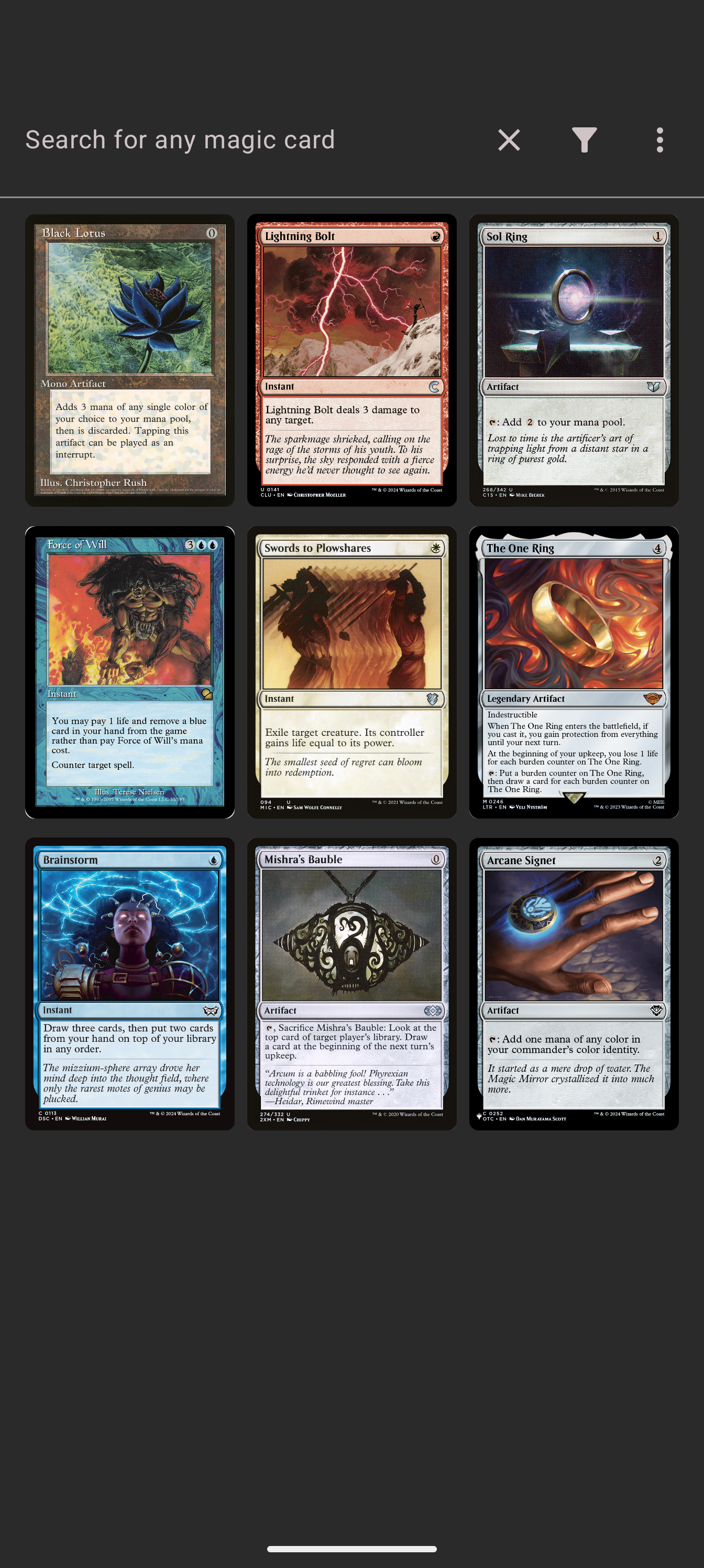
Newest cards on open
The search used to greet you with an empty prompt. Now it shows a feed of the newest Magic releases, updated daily, so opening the search is already a browse: see what just came out, tap a card to preview it, add it to the deck if it fits. The feed keeps loading more cards as you scroll, and any search still works exactly as before once you start typing.
Filter by language
A new Filter by Language option in the filter sheet narrows results to a specific language: English, German, French, Spanish, Italian, Japanese, Portuguese, Chinese, Russian and more. The filtering happens server-side, so localized card names match properly: a German-language search finds “Blitzschlag”, not just “Lightning Bolt” translated in a footnote.
x2 badges for copies
Back in your deck grids, cards you hold more than once now show a small x2 badge, so “how many copies of this do I have” is answered at a glance instead of counting tiles. The badge uses the same duplicate logic as the deck search’s duplicates filter, so what you see in search and what you see in the grid agree.
The whole flow
- Open a deck and tap the plus, then Add Magic Card.
- Browse the newest feed, or search for any card by name.
- Open the filter sheet to narrow by color, mana cost, type, or language.
- Add the cards you want; the grid shows x2 badges on duplicates.
Magic search is free, works on Android and the web app, and is live with 3.10.0. Deck Builder is free on Google Play, and the web app carries the same search. Join the Discord for deck talk, or support development on Patreon.
