Designing a card from a blank canvas takes time. Deck Builder 3.5.0 adds preset layouts to the Card Designer so you can start from a sensible arrangement and make it your own.
Pick a layout
Open a deck, tap + Add Card → Design Card, and you will be asked to choose a layout:
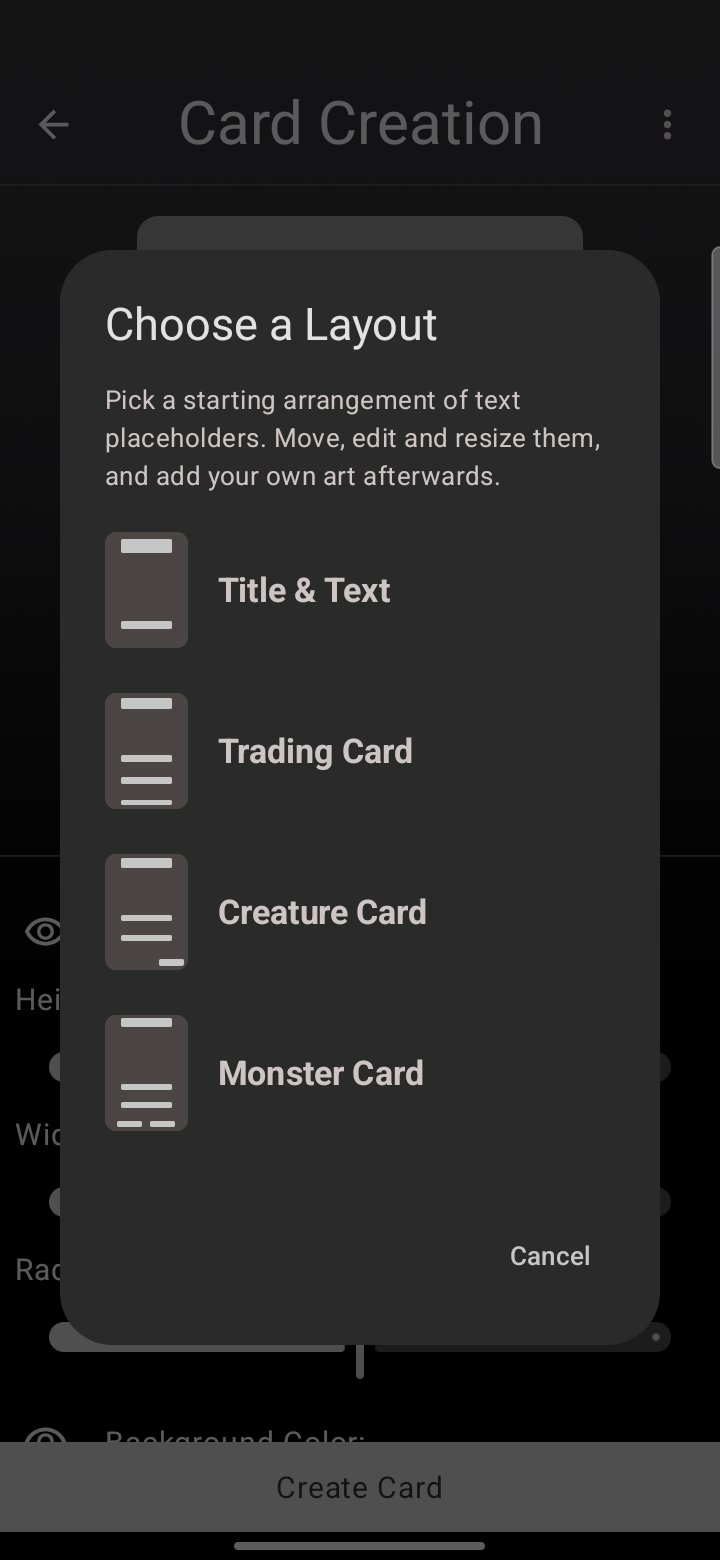
- Title & Text — a clean title with a body area, good for rules or notes.
- Trading Card — title, stats, and a rules box like a classic trading card.
- Creature Card — room for a type line, abilities, and power/health.
- Monster Card — a bold layout for creatures and bosses.
Make it yours
Each preset just gives you a starting set of text placeholders. Move, edit, and resize them, change the background, and add your own art on top. Nothing is locked, so a preset is a head start, not a template you are stuck with.
Update to Deck Builder 3.5.0 from Google Play, and see everything new in 3.5.0.
