You do not need a table full of decks, or even a second phone, to play a card game together. Pass & Play, new in Deck Builder 3.4.0, turns one device into a hot-seat game for 2 to 4 players. Everyone picks their own deck, takes their turn, and hands the phone to the next player. Because only the active player’s board is ever on screen, nobody sees your hand until you want them to.
What Pass & Play is good for
- Game nights with one phone. Pass the device around the table instead of crowding around one screen.
- Trying a two-player game without importing the same deck twice or juggling two installs.
- Teaching a game to someone new, where you take turns on the same device and talk through each move.
Step 1: Open the Pass & Play setup
Go to the Simulate tab and choose Pass & Play. The setup screen is free to open and configure, so you can plan a whole game before anything starts.
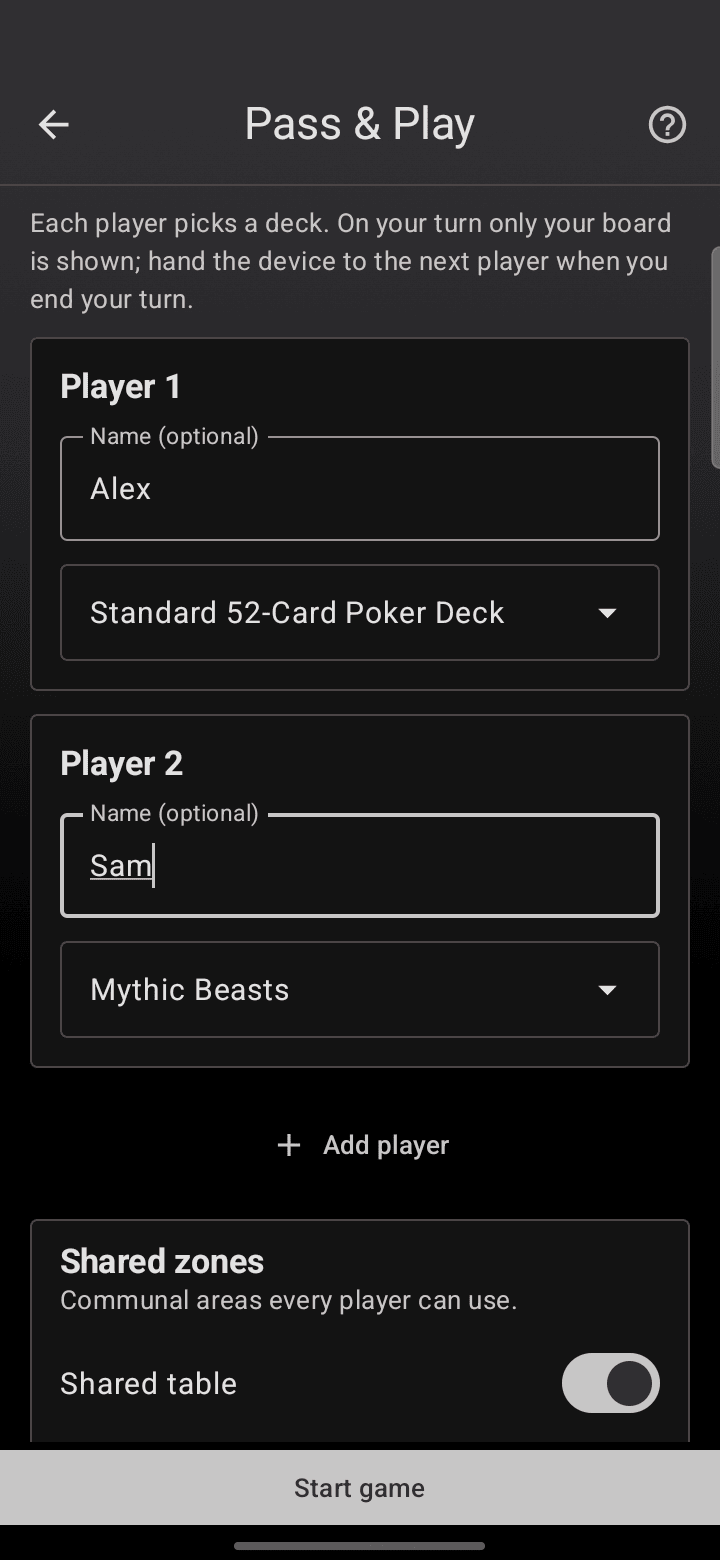
Each player gets a card:
- Name is optional. Add “Alex” and “Sam” if you like, or leave them as Player 1 and Player 2.
- Pick a deck for each player from the dropdown. Two players can even choose the same deck, and Deck Builder gives each their own independent copy to play with.
- Use Add player to go up to four, and turn on a shared table under Shared zones if you want a communal area everyone can use.
When every player has a deck, tap Start game.
Step 2: Take your turn, then pass the device
Pass & Play opens on a hand-off screen so the first player knows the device is theirs.

Tap to continue and you land on your own board: your deck, your draw pile, your hand, in-play, and discard zones. It plays exactly like a normal simulation, so you can shuffle, draw, flip, and move cards however the game demands.
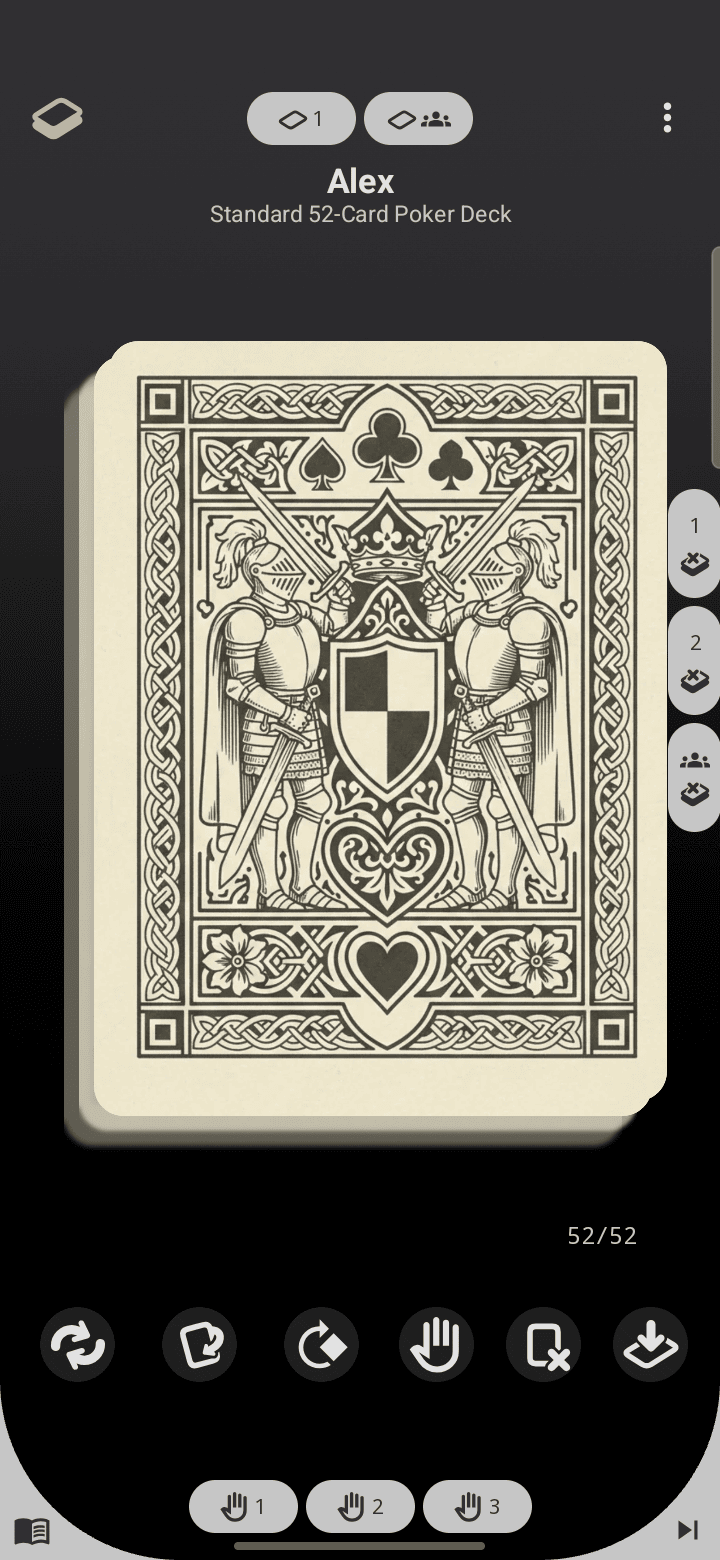
When you are done, tap End turn (Deck Builder asks you to confirm, so a stray tap will not end your turn). The device flips back to the hand-off screen for the next player, and their board picks up right where they left it. Your game state is saved between turns, so you can put the phone down and come back to it later.
Tips for smooth games
- Only your board shows on your turn. Hand off honestly and the “Pass the device to…” screen keeps hands hidden between turns.
- Same-deck duels work. Two players on the same deck each get a separate shuffle, so a mirror match is fair.
- A shared table is handy for games with a communal row of cards, a market, or a river everyone draws from.
Pass & Play is a Pro feature, so the paywall appears when you tap Start game, but the setup screen is always free to explore.
Pass & Play arrived in Deck Builder 3.4.0 alongside print-ready card export and Deck Store publishing. See the full list in What’s new in Deck Builder 3.4.0, and once your game is dialed in, learn how to turn any deck into print-ready cards.
