Sometimes you do not want to move a whole deck, just one card. Deck Builder 3.5.0 lets you export and import individual cards in the format that fits what you are doing.
Export a single card
Open a card, tap the ⋮ menu, and choose Share…. You will see the export chooser:
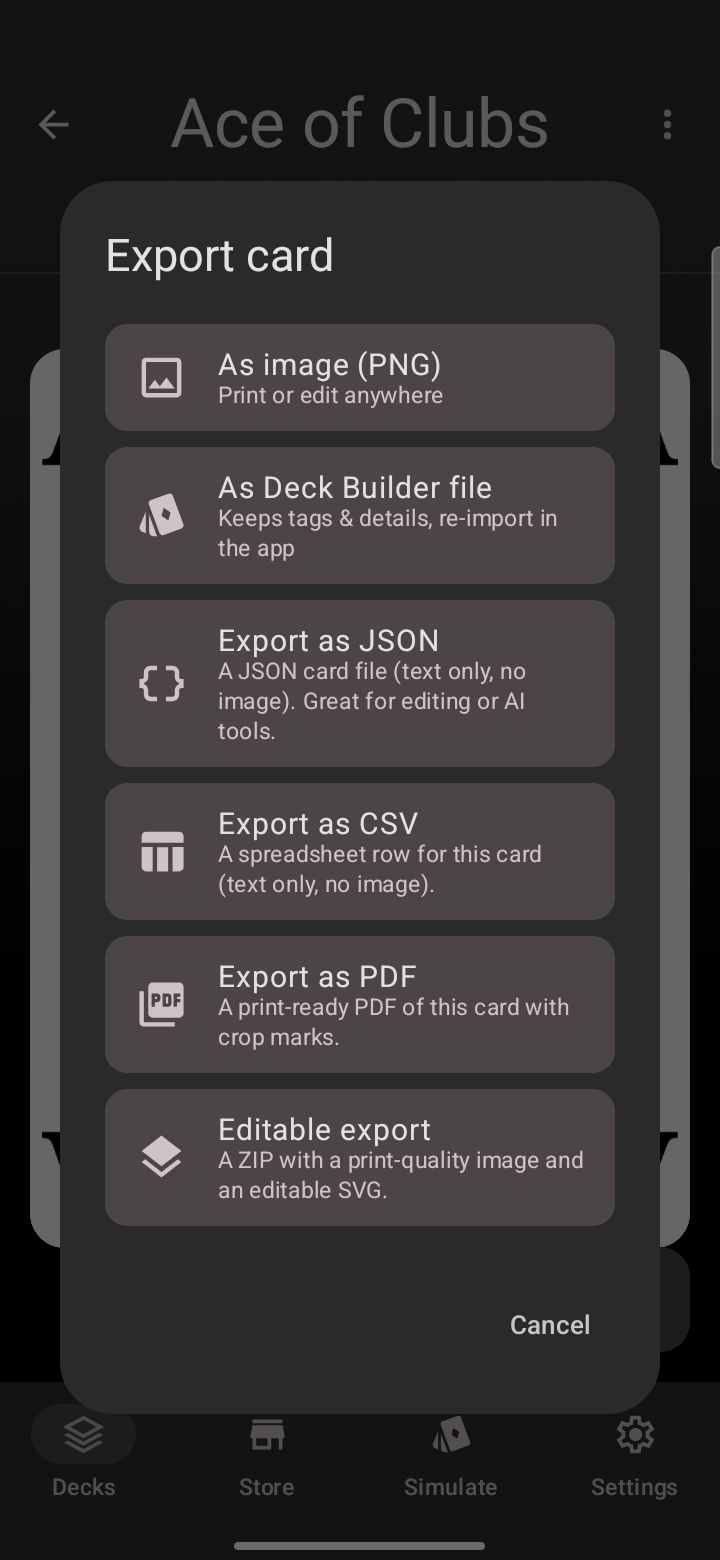
Pick the format you need:
- As image (PNG) — a high-resolution picture to print or edit anywhere.
- As Deck Builder file (.dbpc) — keeps tags and details so it re-imports perfectly.
- Export as JSON — text only, great for editing or feeding to AI tools.
- Export as CSV — a spreadsheet row for the card.
- Export as PDF — a print-ready page with crop marks.
- Editable export — a ZIP with a print-quality image and an editable SVG.
Cards whose art comes from an external source (like Magic cards) keep the image-based options disabled to respect copyright, but JSON and CSV stay available.
Import a single card
To bring a card into a deck, open the deck, tap + Add Card → Import card, and pick a Deck Builder file, JSON, or CSV. The card is added to the end of the deck. JSON and CSV are text-only, so those cards come in without an image, ready for you to add art.
Update to Deck Builder 3.5.0 from Google Play to try it, and see everything new in 3.5.0.
