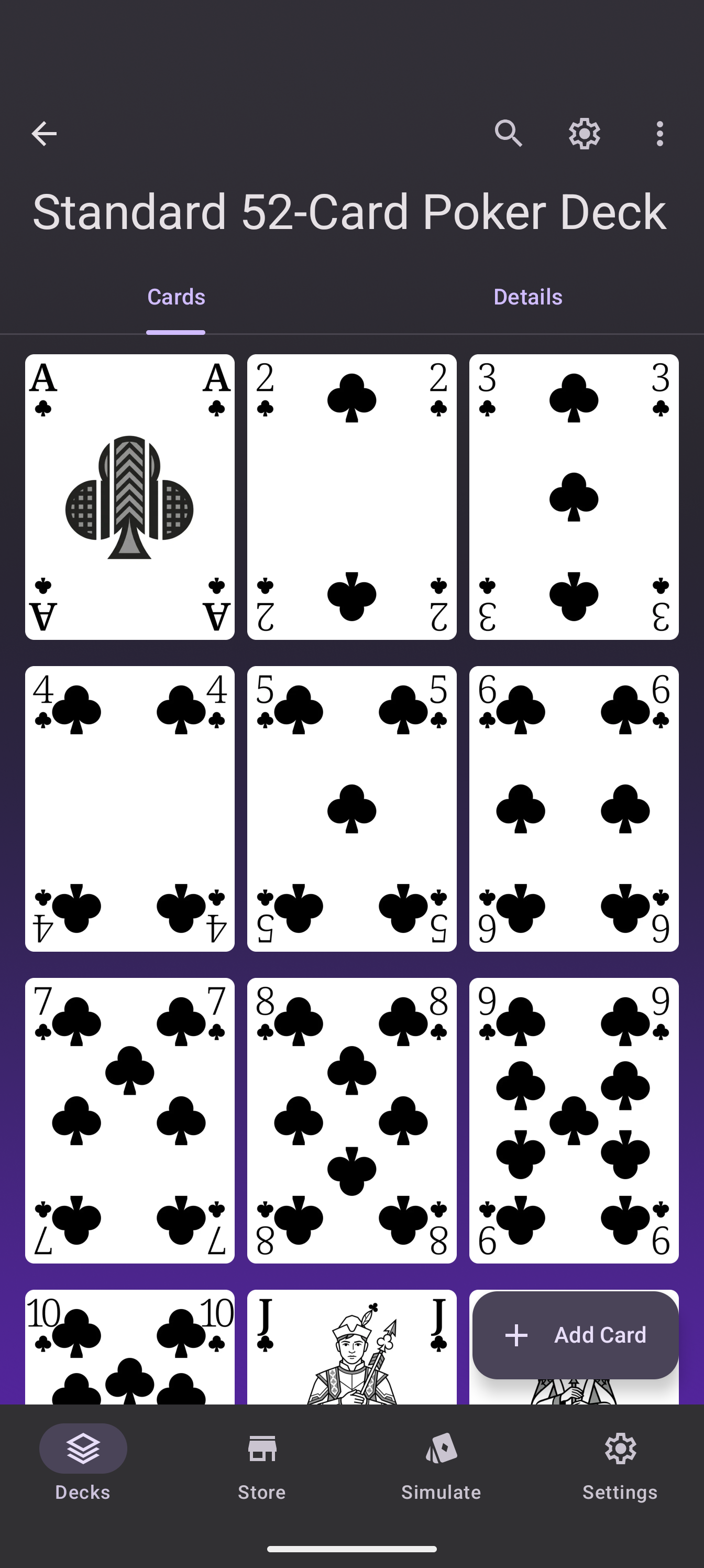
The deck details screen, where you manage every card in a deck, got its first real redesign since the app launched. The old list had heavy frames, inconsistent corners and no sense of position: scroll halfway through a 100-card deck and you had no idea where you were. The new grid fixes all three.
What changed
- Three columns of frameless tiles. Cards sit edge to edge on a clean background, so your deck reads like pages of a book. More cards fit on screen at once.
- Proportional corners. Every tile’s corner radius follows the same rule as the full-card view, so nothing looks patched-on.
- Index badges. Each tile carries a small index badge showing the card’s position in the deck, and the badges linger during scrolling, so you always know where you are.
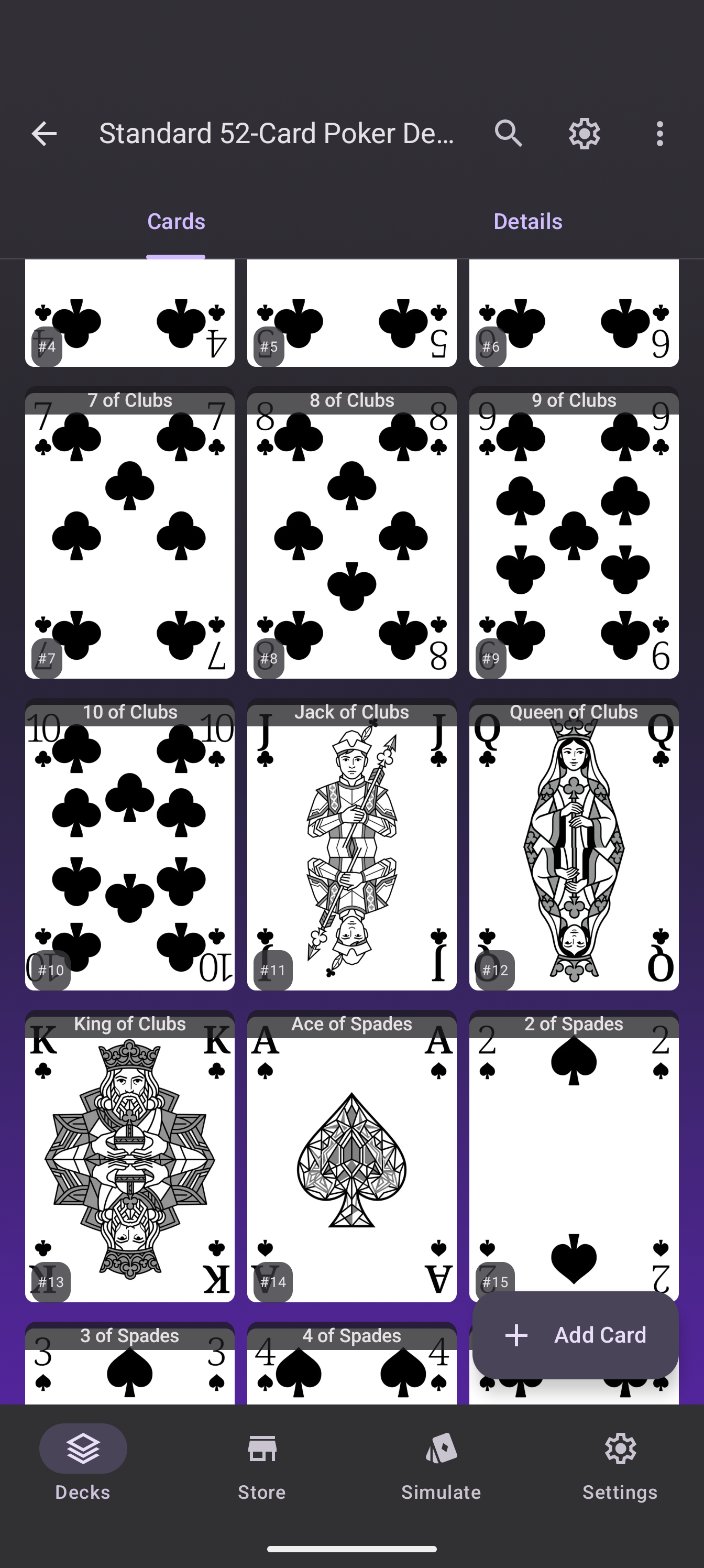
- Clearer drag overlays. Selecting and dragging cards highlights the whole tile, not just a corner.
- Slide animations. Menu and overlay transitions settle smoothly instead of popping.
Finding your way around
Nothing moved functionally: search is still at the top, the deck menu is unchanged, and every card action works as before. What changed is how it reads. A 52-card deck now fits in two screens of scrolling instead of four, and the index badges make “jump to card 37” a glance instead of a count.
Who is this for
Everyone who maintains decks beyond the demo: playtesting a prototype and scanning the flow of the deck, archiving a cube, or checking that your split deck still adds up. The grid is also the screen the Card Designer starts from, so new custom cards land in a grid that shows them off.
Going further
- Deck details is the first screen under every deck; open any deck to see it.
- Feedback on the new look belongs in the Discord.
