Deck Builder 3.10.0 is a release about polish where it counts: your decks finally get proper card backs without any design work, tarot readers get the reversal mechanic they asked for, and every corner of the app that was quietly confusing (exports, deck search, Magic search) got simpler. Here is everything new.
Built-in card back designs
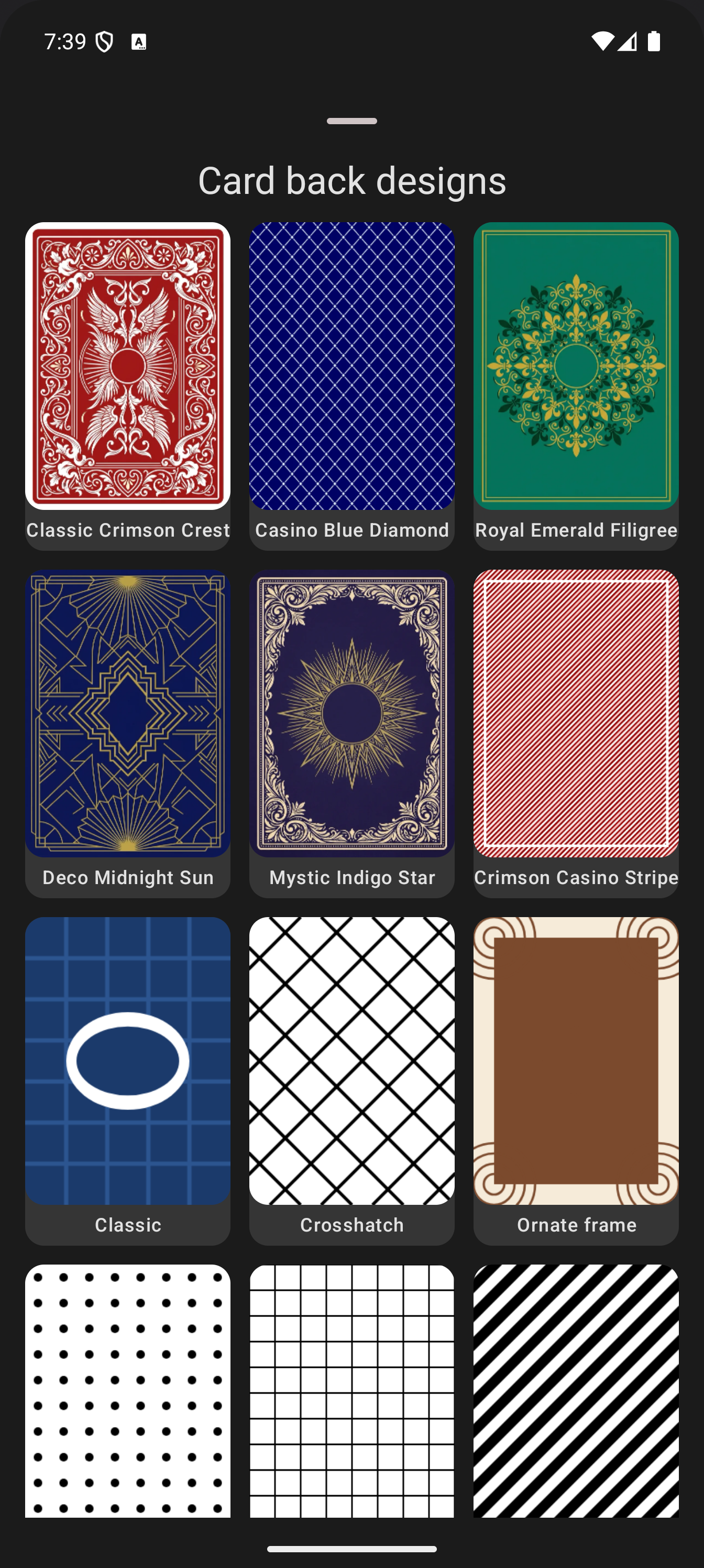
Every deck can now pick its default card back from a gallery of twelve ready-made designs: from the heraldic Classic Crimson Crest to the Casino Blue Diamond and Royal Emerald Filigree. No scanning, no design work: open the deck, Details, Default Card Back, Change, Choose a design. New decks get a back assigned automatically, cycling through the presets so a fresh deck never looks like a blank slate. Read the full card back designs guide.
Tarot-style reversal
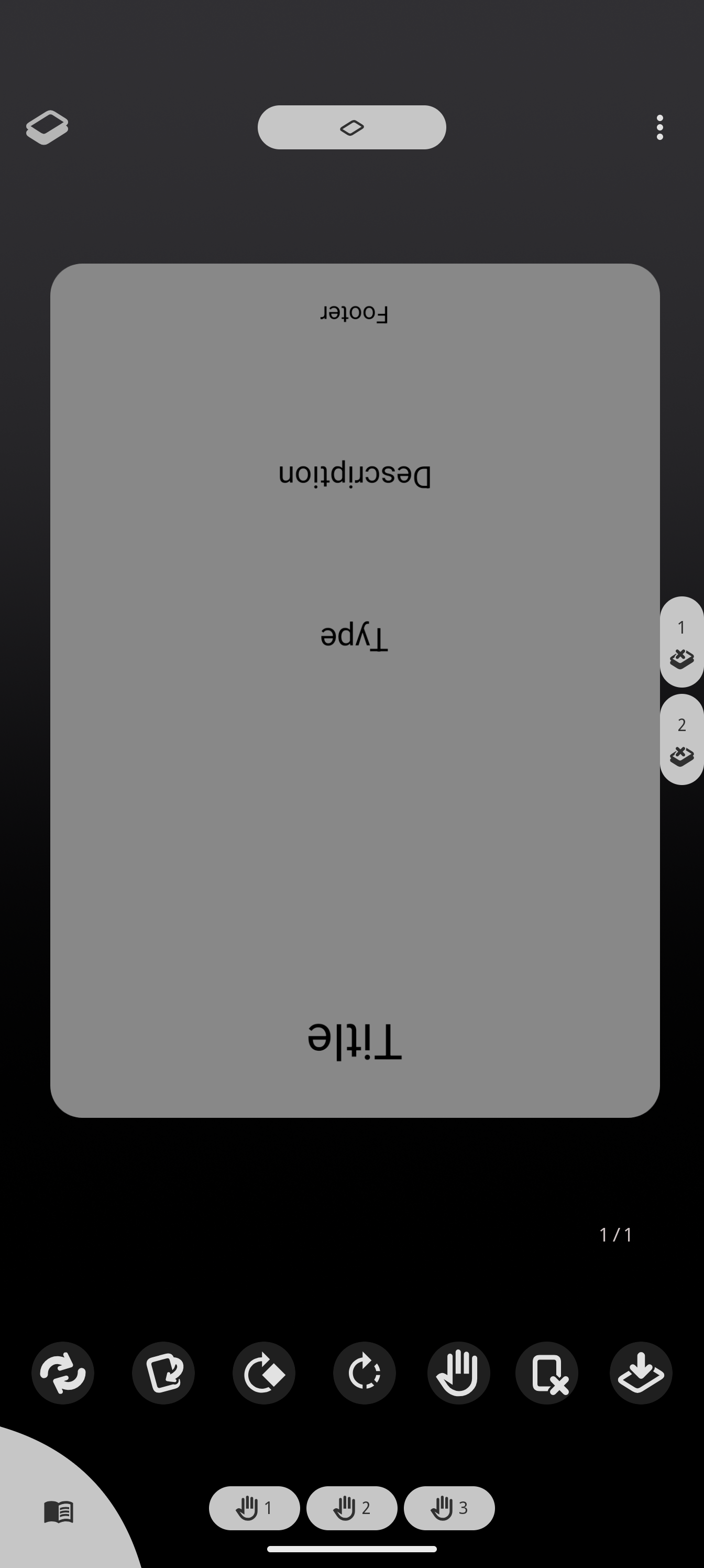
If you read tarot, you know a reversed card means something different. The simulation now has a dedicated Rotate 180° button: any card in the in-play area flips upside down with a smooth animation, and flips back the same way. The deck settings include a per-zone toggle so taps do exactly what your game needs. See the tarot reversal guide.
One Export menu for everything
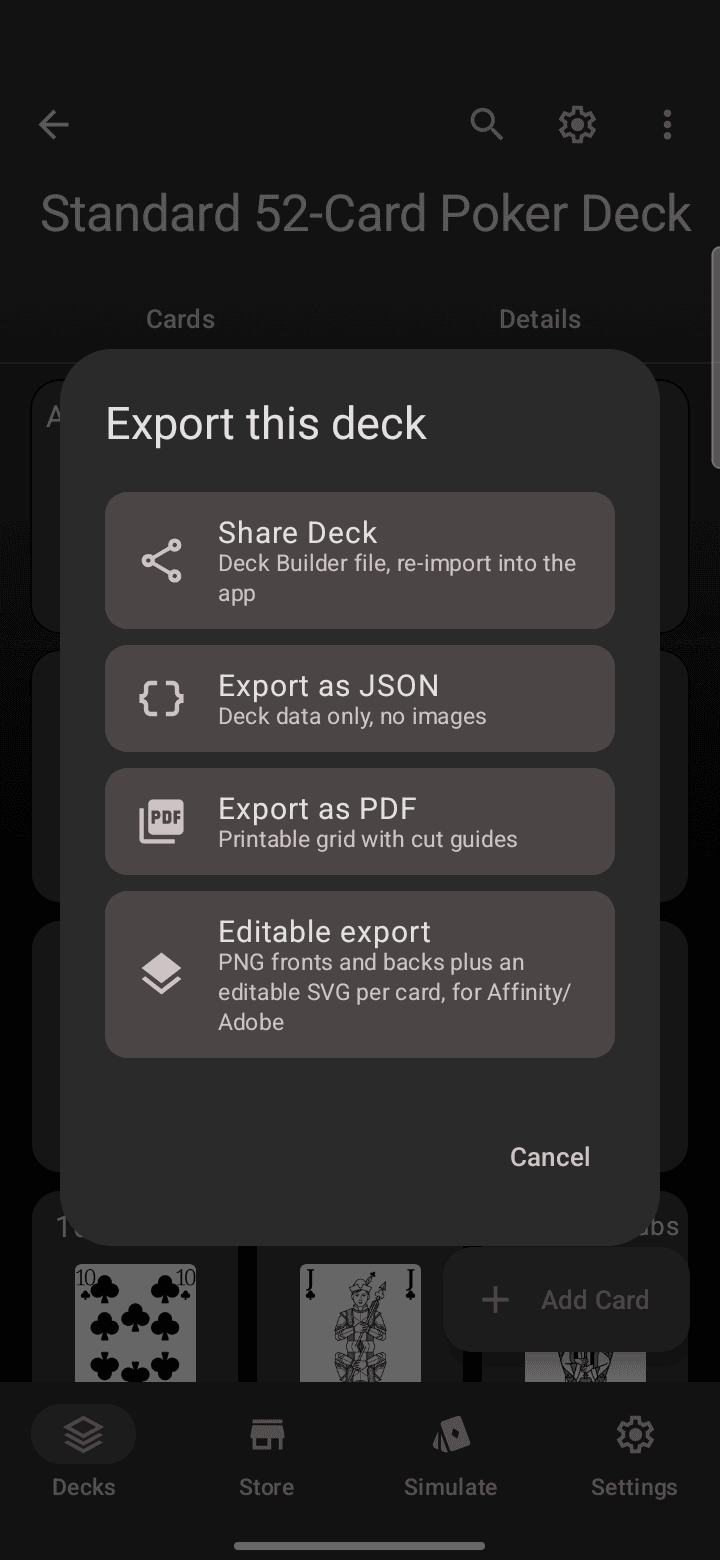
PDF print sheets, editable PNG/SVG exports, JSON, and the Deck Builder backup file used to live in different menus. They are now unified behind a single Export… entry in the deck menu with one line per format explaining what you get. The export guide walks through each format and when to use it.
Smarter deck search
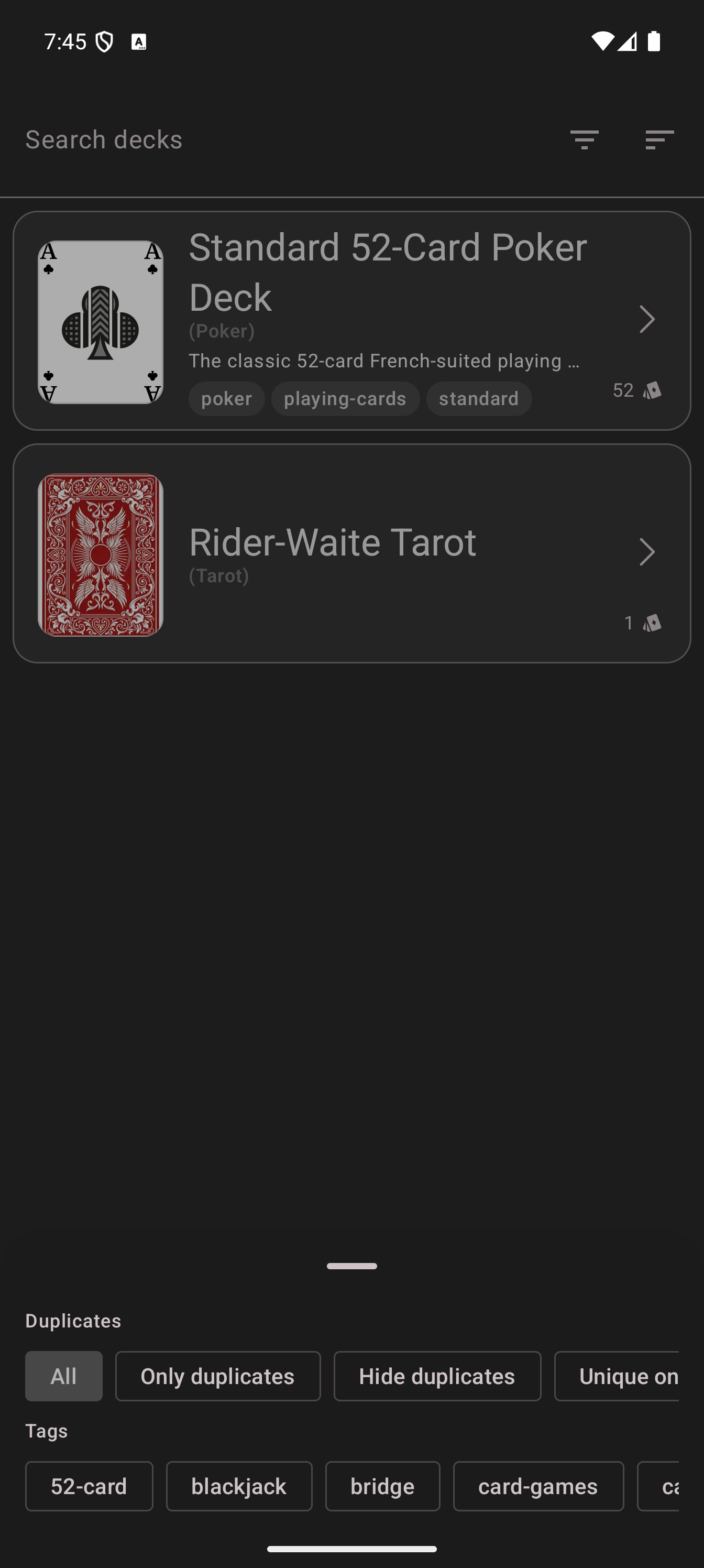
Deck search now has a filter sheet with Duplicates options (all, only duplicates, hide duplicates) and your full tag list as filter chips, so “that token deck with duplicates” is two taps away. Search itself matches tags too, not just names and descriptions. See searching and filtering decks.
Magic search upgrades
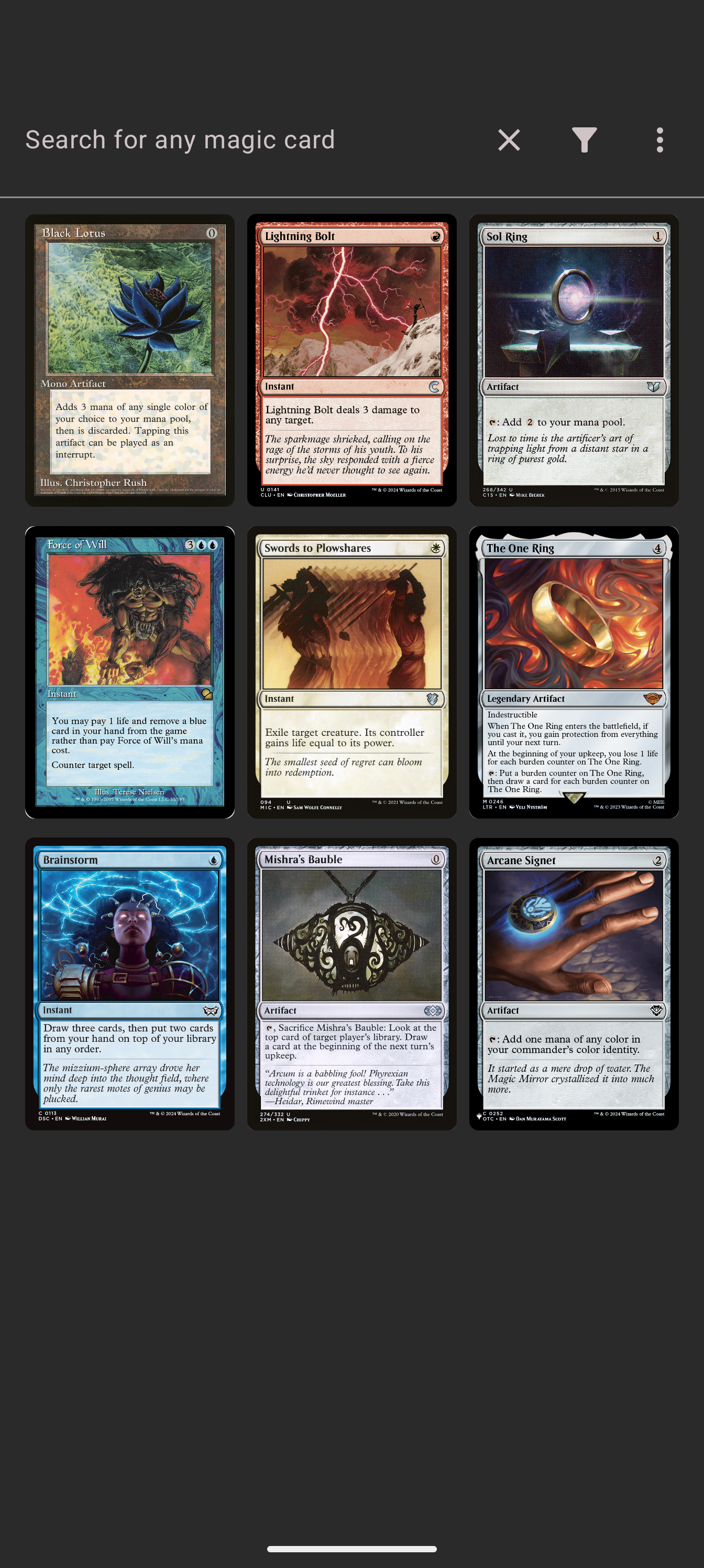
The Magic card search starts showing real cards before you type anything: a feed of the newest releases greets you on open. A new language filter narrows results to German, Japanese, French and more, server-side, so localized card names match properly. And in your deck grids, cards you hold more than once show an x2 badge so you always know how many copies you have. See the Magic search guide.
Smaller changes worth a line
- Each deck can rename its Supertypes/Subtypes field labels to match its game’s vocabulary.
- New designer cards inherit the deck’s corner radius automatically.
- Zone settings now explain every toggle in plain language.
Fixes
- Pass & Play is reliable again for every player: draws, turn hand-offs and swipes work for player 2 and beyond.
- The paywall no longer flashes open before its offering has resolved.
- A 90° tapped card stays unclipped while it turns 180 degrees.
- The Magic search keyboard stays closed when you come back from a scan.
- The card details counter no longer hides behind the replace-image button.
- Multi-select in deck details stays alive and readable.
The update is rolling out to testers on the internal track now; watch the changelog in the app for the version prompt. As always, your feedback drives these releases, and you can support development on Patreon.
