There is no single “right” way to fill a deck in Deck Builder. Open any deck, tap the + Add Card button, and every option is in one menu:
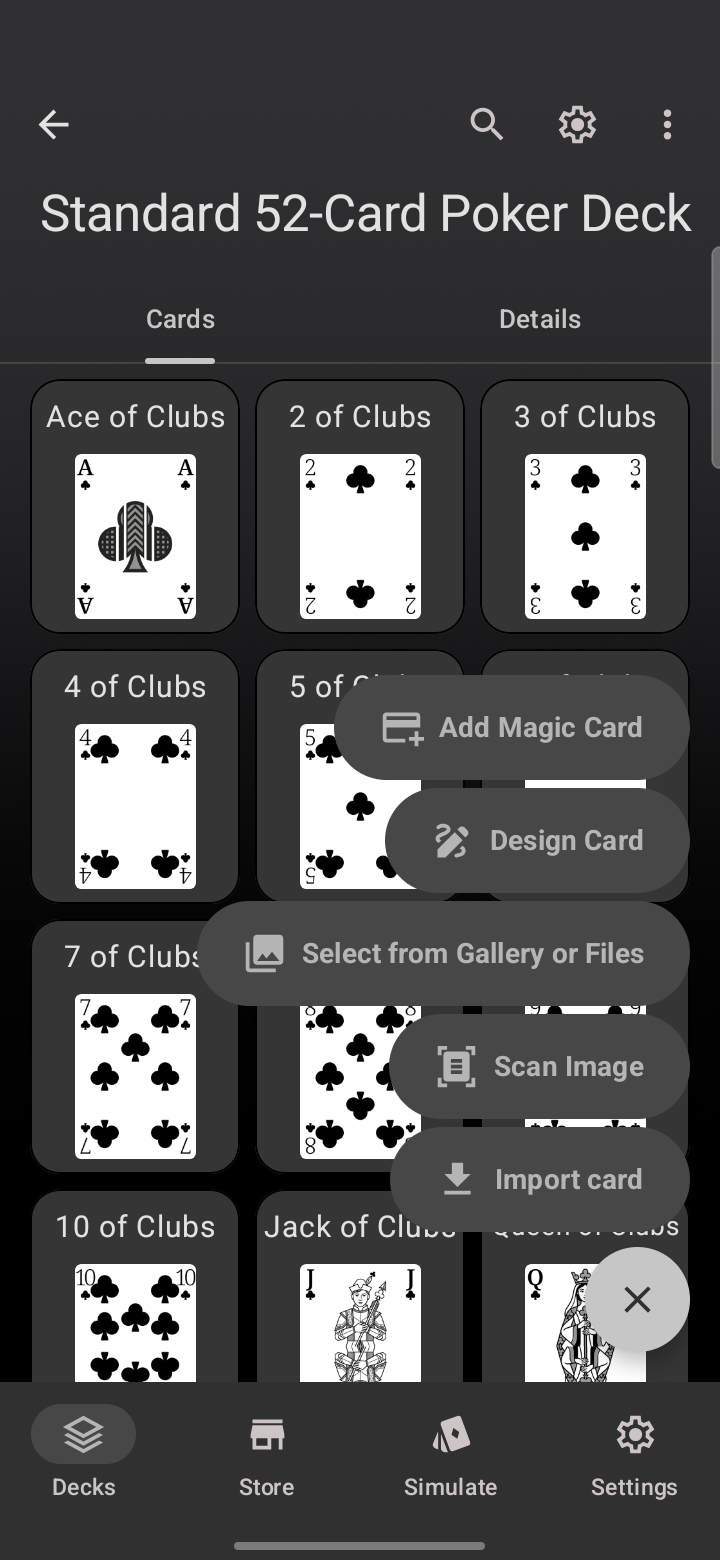
Here is when to reach for each one.
Add Magic Card
Search an external Magic: The Gathering database and add cards by name, complete with the official art and card details. Ideal for building or tweaking an MTG deck without any typing. See how card search works, including scanning a physical Magic card with your camera.
Design Card
Build a card from scratch in the Card Designer. Start from a preset layout (Title & Text, Trading Card, Creature Card, or Monster Card), then move the text around and drop in your own art. This is the tool for original games and homebrew.
Select from Gallery or Files
Add several cards at once from photos or files already on your device or in cloud storage (Google Drive, Dropbox, and the like). This is the fastest route when you already have card images ready to go.
Scan Image
Use the camera to scan physical cards straight into the deck. Best for digitizing a real-world deck quickly, one card at a time.
Import card
Bring in a single card from a Deck Builder file (.dbpc), JSON, or CSV. Great for moving one card between decks or between devices. JSON and CSV are text-only, so those cards arrive ready for you to add art. Full guide to single-card export and import.
Adding a whole deck at once
The menu above adds cards to an existing deck. If you want to bring in a large batch, you can also import an entire deck from a CSV or JSON file and map the columns yourself.
The best decks usually mix these: scan the bulk of a physical set, design a few custom cards, and import the odd one from a file. Update to Deck Builder 3.5.0 from Google Play to try it, and see everything new in 3.5.0.
